


👉 Need to set this up? See Set Up the NEA Questions Page.
🎯 What This Template Does
The NEA Questions Template collects 24 of the 28 required FDR data points, including demographics and financials.
Using it reduces manual reporting and keeps data consistent across your cycle.
💡 Tip: Before you begin, we suggest reviewing the current federal reporting rules on the NASAA website. This will help you get familiar with what the government requires.
🛠️ Where It Fits
NEA reporting in GO Smart uses:
Templates (input):
NEA Questions
Activity Locations
Project Budget
Reports (output):
NEA Report
Activity Locations Report
💡Tip: Use the NEA Questions and Activity Locations templates at minimum for compliance.
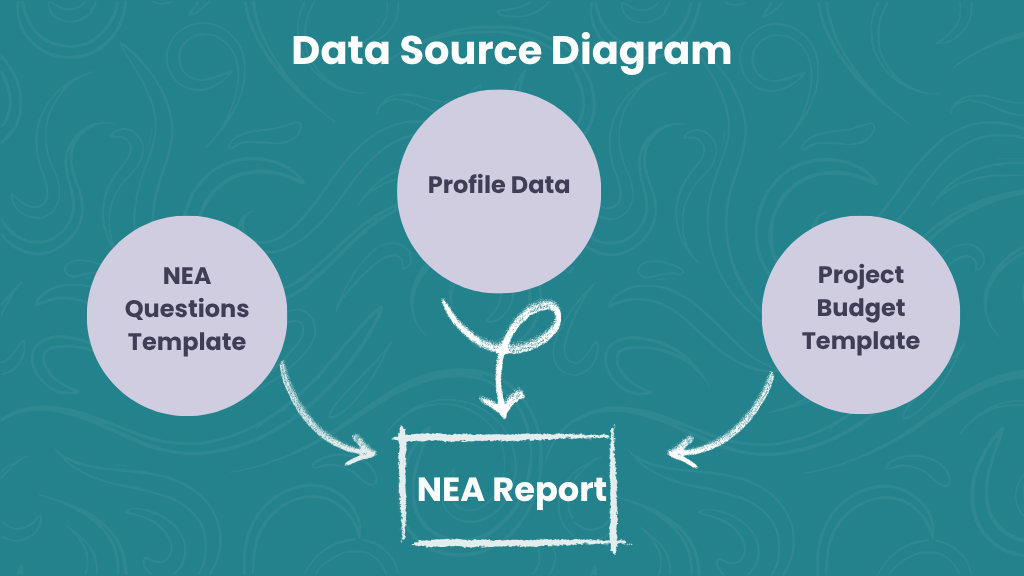
📸 An example of the information used to compile the NEA report. The data flow diagram shows the three sources of the NEA Report: data from the NEA Questions Template, Profile Data, and the Project Budget Template, all of which feed into the final NEA Report.
🔄 How Data Moves
1. Data is Entered
Applicants provide data through:
The NEA Questions page
Their profile
(Optional) the Project Budget page
2. Data Can Carry Across Forms
If used in multiple forms, data can be:
Editable → updated later (e.g., estimates → actuals)
Display-only → locked for reference
3. Reports Use the Latest Data
The system always pulls the most recent values.
Example:
Estimates from the application are replaced by actuals from the final report.
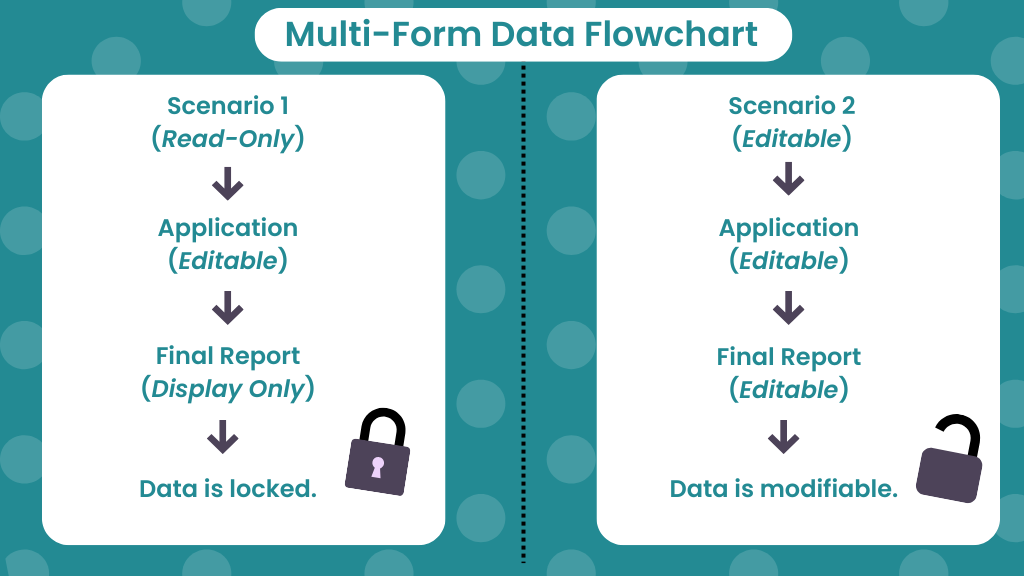
📸 A flow chart illustrating how data persists across forms. Scenario 1: Editable in Application, Display Only in Final Report results in locked data. Scenario 2: Editable in both forms results in modifiable data.
⚖️ Template vs. Report
NEA Questions Template | NEA Report | |
Role | Input form | Output report |
User | Applicant | Admin |
Control | Configured by admin | System-generated |
Data | Entered by applicant | Pulled from all sources |
Values | Estimates or actuals | Most recent only |
👀 Applicant Experience
Applicants see:
Pre-filled profile data (when available)
Standardized demographic questions
Financial fields (manual or auto-filled)
📝 Note: Some fields (like Grant Awarded) are admin-only.
🧠 Key Points
You control visibility, editability, and required fields
Data can be locked or updated across forms
Budget totals may auto-fill from the Project Budget page
💡 Tip: Preview forms to confirm the applicant experience before launch.