

📸 Click here for image alt-text.
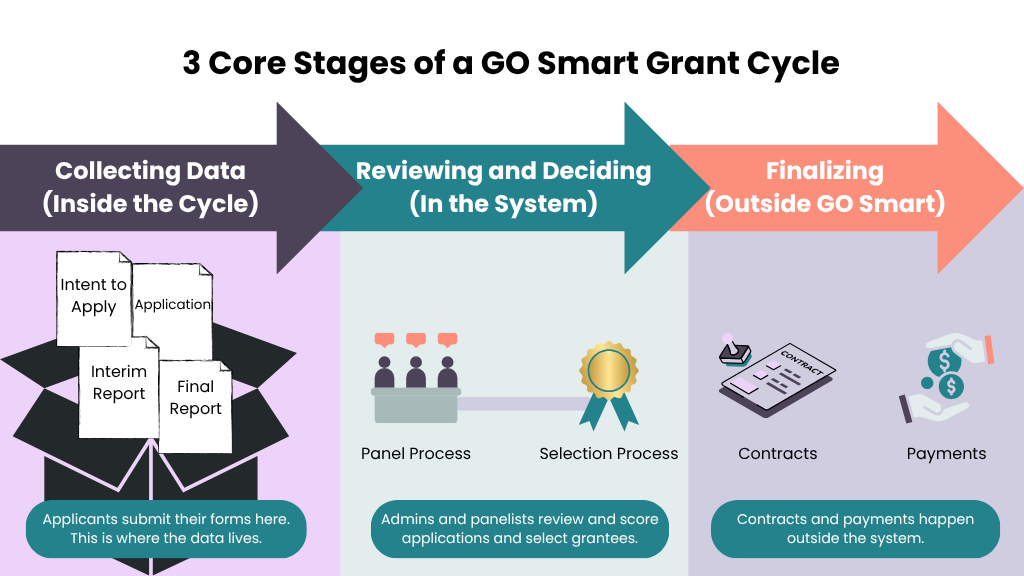
An infographic titled "3 Core Stages of a GO Smart Grant Cycle" is divided into three color-coded phases. Stage 1 (Collecting Data): Features a purple box containing application and report forms where data is initially gathered. Stage 2 (Reviewing and Deciding): Shows teal icons for the internal Panel and Selection processes where applications are scored. Stage 3 (Finalizing): Shows orange icons for contracts and payments, noting these final steps happen outside the GO Smart system. Large arrows connect the stages to show the forward progression of a grant.
📦 Inside the Program Cycle
These four forms are built within the Grant Editor tab. They are the primary way you collect data from applicants.
Intent to Apply (Optional): Vet applicants or receive basic info before they start a full application.
Application: Gather all data needed for panelists to make their decisions.
Interim Report (Optional/Additional Cost): An optional mid-grant form used to gather data from grantees while their project is still in progress.
Final Report (Optional): An optional form used at the end of the grant to gather spending summaries and impact data.
👉 Learn how to create an Intent to Apply or Application page.
👉 Learn how to create an Interim or Final Report.
🛠️ Management and Review
These steps happen in other areas of GO Smart, using the data collected in your Program Cycle.
Panel Process: Create custom panels in the Panel Editor to invite reviewers to score and comment on applications. You can use the Panelist Report to select your grantees.
Award Process: Change an applicant's status to "Funded" in the Grant Manager Dashboard and communicate next steps and obligations through a status or mass mailer.
Flex Cycles: (Optional/Additional Cost): These are optional, separate forms used for reimbursement requests, invoices, or secondary applications. These are created separately from your main cycle.
👉 Learn how to create a panel.
👉 Learn how to change an application's status.
👉 Learn how to create a status mailer.
👉 Learn how to create a flex form cycle.
📂 Outside of GO Smart
While GO Smart handles the data, some tasks happen elsewhere:
Contracts and Payments: Financial and contractual processes typically occur outside the system. You can use GO Smart Reports and Mail Merges to help create these documents.
💵 Important Billing Notes
Unique Applications: Each Program Cycle centers on a single Application. If you have several different Applications, each is considered a separate Cycle and will incur a charge.
Flex Cycles: If your application cycle requires additional forms, such as an interim report or reimbursement requests, invoices, or secondary applications, you will incur a Mid-Year Form fee ($500/cycle).
