

⚙️ Set Up Round One
Go to the Panel Editor tab.
Create panels for the first round.
Assign panelists and applications to the round one panels.
Invite panelists to score and comment.
Generate a panelist report for all round one scores and comments.
➕ Move to Subsequent Rounds
Create panels for the next round.
Assign panelists to the new panel(s).
Re-assign qualified applications to the new panel(s).
Invite panelists to score and comment on the new round.
Generate a panelist report for the current round.
Repeat these steps for any additional rounds needed.
⚠️ Alert: Reassigning an application hides other rounds' scores temporarily.
👉 To learn how to add an application to a panel or assign multiple applications to a panel at the same time, view this tutorial.
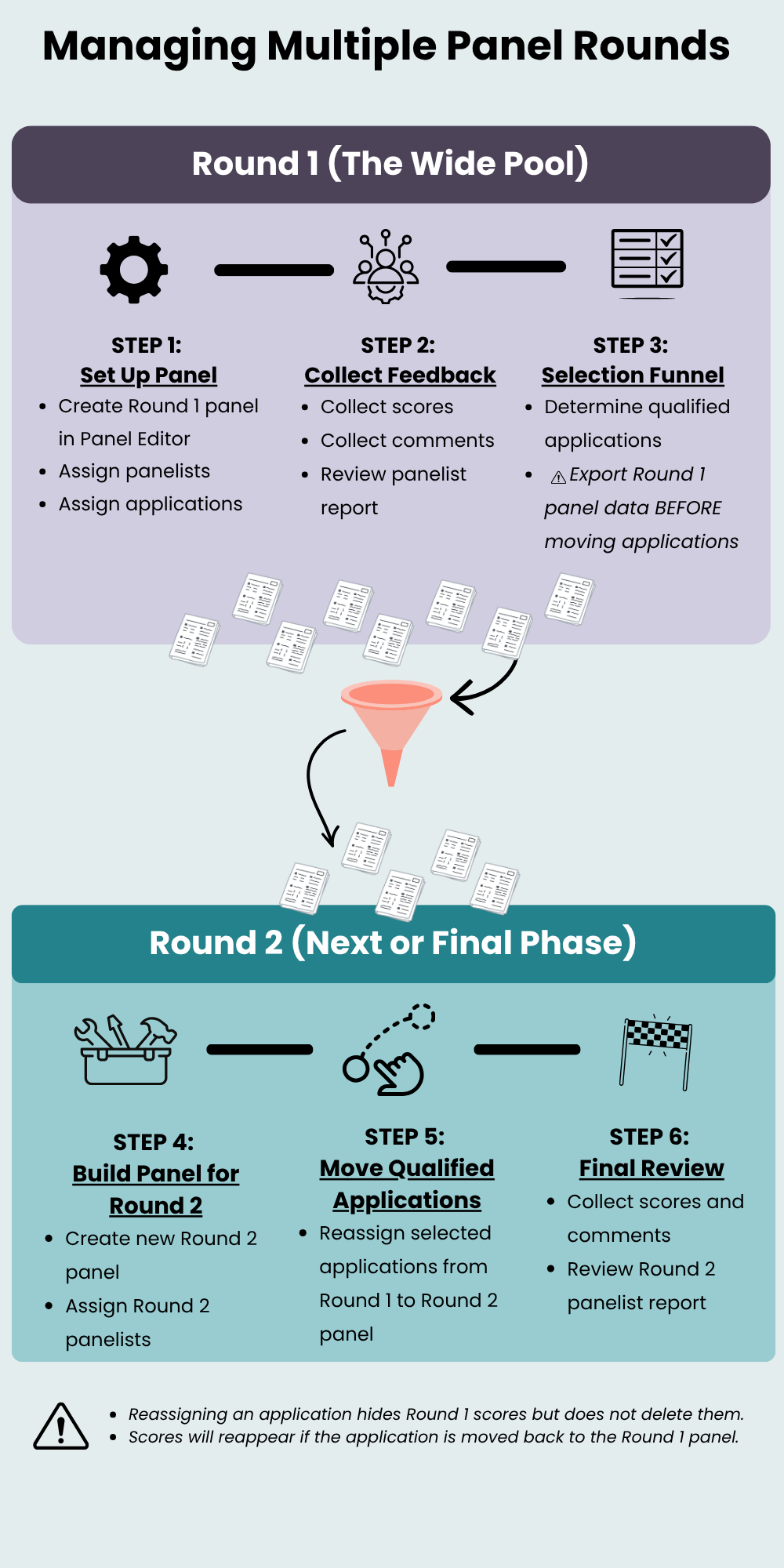
👉 View the graphic with alt-text.
